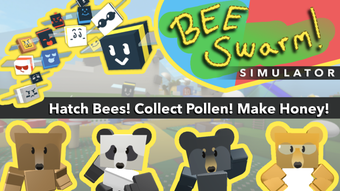

Collect Bees & Make Honey in This Free Roblox Game
Overview
Bee Swarm Simulator is a free simulation game built for the Roblox platform by developer Onett. Designed as a self-explanatory experience, the game centers around collecting pollen, producing honey, and expanding a personal bee collection. Players assume the role of a beekeeper managing a hive, where the core gameplay loop revolves around deploying bees to gather resources and upgrading their capabilities. The game’s primary appeal lies in its addictive collection mechanics, where players strive to amass diverse bee types, including rare and legendary variants, through leveling and transformation using royal jelly.
Target users include casual gamers, Roblox enthusiasts, and fans of incremental and simulation gameplay. The game thrives on long-term engagement, encouraging players to return for new quests, unlocked areas, and competitive leaderboards. While the developer did not provide additional details about the team or development history, the game’s popularity is evident—over 2 billion players have engaged with it on Roblox. This level of reach underscores its broad appeal across age groups and gaming preferences. Real-world usage scenarios include leisure time entertainment, social interaction within Roblox communities, and personal challenges like achieving high honey totals or completing rare bee collections.
Key Features & Capabilities
- Pollen Collection System: Bees automatically gather pollen from flower fields, forming the foundation of resource production. This mechanic drives the core loop of harvesting, processing, and reinvesting.
- Honey Production & Currency: Pollen is converted into honey, the primary in-game currency used to purchase new bees, upgrades, and storage solutions. Honey serves as both a wealth indicator and a tool for progression.
- Bee Collection & Customization: Players collect various bee types, level them up, and transform them using royal jelly into rarer forms. This system encourages long-term engagement through visual and mechanical variety.
- Quests & Unlockable Content: The game features a range of quests and stages that unlock new areas, mechanics, and challenges, providing structured progression and ongoing incentives.
- Leaderboards & Competitive Goals: Players can compare their honey totals and bee collections against others, fostering competition and community-driven achievement.
These features work together to create a self-sustaining gameplay loop. For example, players use honey earned from early bees to buy more efficient bees, which in turn produce more honey. The customization aspect allows for personal expression and strategic planning, as players choose which bees to prioritize based on their strengths and rarity. The game’s design rewards persistence and resource management, making it ideal for players who enjoy incremental growth and long-term goals.
User Interface, Workflow & Performance
The user interface in Bee Swarm Simulator is designed for intuitive navigation within the Roblox environment. Players interact with a HUD that displays key metrics such as current honey count, bee inventory, and active bee deployment. The layout includes quick-access buttons for deploying bees, upgrading hive structures, and accessing the bee collection menu. Navigation is streamlined through a central hub that connects to different game areas, quests, and upgrade options.
Workflow efficiency is supported by automated systems—bees collect pollen without manual input, and honey production occurs passively when bees are deployed. This allows players to engage with the game in short bursts or maintain continuous progress during extended sessions. The game’s performance is tied to the Roblox platform’s infrastructure, meaning behavior can vary based on device and network conditions. The developer did not specify resource usage details, and performance observations are based on general software behavior patterns. Stability appears consistent with typical Roblox games, though users may experience minor lag during peak activity in shared game spaces.
Compatibility & System Requirements
Bee Swarm Simulator is designed exclusively for the Roblox platform, meaning it runs on any device that supports Roblox access. This includes Windows PCs, Macs, mobile devices, and select gaming consoles. The software version is 1.0.0, and the installation size is listed as 0 MB, which aligns with Roblox’s cloud-based game delivery model—games are loaded directly from servers without local installation. The developer did not specify exact system requirements, so compatibility depends on the user’s device meeting Roblox’s minimum standards.
Hardware requirements are not explicitly detailed. Users should ensure their device supports modern web browsers or the Roblox application, with stable internet connectivity for optimal gameplay. Platform compatibility information is limited to the Roblox ecosystem. For users on Windows or Mac, the game is accessible via the Roblox desktop client. Mobile users can access it through the Roblox app on iOS and Android.
Pros and Cons
Pros
- Free to play with no upfront cost
- Engaging incremental gameplay loop
- Extensive bee collection system with rare variants
- Active community and competitive leaderboards
- Regular updates and new content via Roblox
Cons
- Performance may vary depending on device and internet speed
- UI can appear visually busy with animations and HUD elements
- Dependent on Roblox platform for access and updates
- Limited customization beyond bee types and levels
- No offline mode—requires constant internet connection
FAQ Section
Is Bee Swarm Simulator free to play?
Yes, Bee Swarm Simulator is completely free to play on the Roblox platform. There are no purchase requirements to access the core gameplay or progression systems.
Can I play Bee Swarm Simulator offline?
No, the game requires an active internet connection to run. As a Roblox-based experience, it operates through cloud servers and cannot be played offline.
What is the main goal of Bee Swarm Simulator?
The primary goal is to collect and upgrade bees, produce honey, and expand your hive. Many players also focus on achieving high rankings on global leaderboards.
How do I get more bees in the game?
Bees are obtained by purchasing them with honey, completing quests, or receiving them as rewards. They can also be transformed using royal jelly to unlock rarer types.
Is the game safe to play?
Yes, Bee Swarm Simulator is a legitimate game on the Roblox platform. As with any online game, users should follow standard safety practices, such as avoiding unauthorized scripts or third-party tools.
Final Thoughts
Bee Swarm Simulator stands out as a standout free simulation game on Roblox, offering a deep and rewarding experience centered on collection, resource management, and progression. Its blend of incremental mechanics, visual variety, and competitive elements makes it appealing to both casual and dedicated players. The game’s long-term engagement potential is strong, supported by a vibrant community and continuous content updates. While the interface may feel overwhelming at first, the intuitive design and automated systems make it accessible to a wide audience.
For anyone looking for a fun, free desktop or mobile game with lasting appeal, Bee Swarm Simulator delivers on its core promise. Whether you're drawn to the idea of building a massive bee empire or simply enjoying the rhythm of resource gathering, this game offers a satisfying experience. Download Bee Swarm Simulator now.







